Before the Community Noticeboard Went Digital
Before the community noticeboard went digital, updates depended on paper, space and volunteers. See what changed when local information became easier to revise.
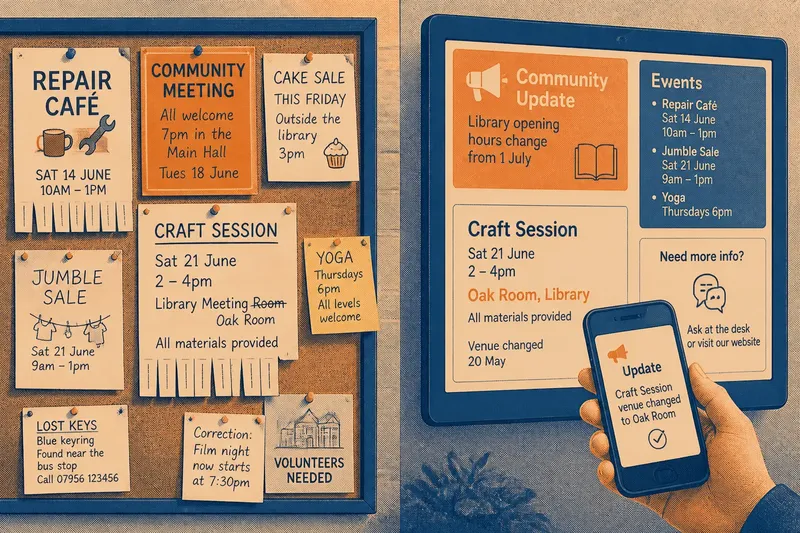
Before the community noticeboard went digital, a new class, lost set of keys or neighbourhood meeting usually arrived on paper pinned to a wall. That physical noticeboard made local information visible, but changing an announcement meant someone had to return, remove the old sheet and put up another. Moving those notices to screens did more than replace paper: it changed who could revise a message, how quickly it travelled and what residents needed to check.
What did a physical community noticeboard do well?
A board outside a library, shop, community hall or bus shelter gathered messages in a place people already visited. Its location gave each notice a local setting: a repair café’s flyer sat beside a jumble sale, and both were understood as invitations from nearby groups rather than distant organisations.
Paper also made information easy to scan without a device, account or network connection. Readers could stop, look across the whole surface and take away a phone number or tear-off tab. A hand-written correction was possible too, although it might be hard to read and could leave the original information visible.
The board’s limits were tied to its physical form. Space was finite, display arrangements could become cluttered, and a notice stayed in place until somebody changed it. A meeting cancellation posted after a volunteer’s visit might not reach someone who had already read the original flyer.
Why did local noticeboards move to screens?
Digital displays offered a way to change local information without printing and pinning a new sheet for every revision. A staff member or volunteer could update a slide, remove an expired notice or add an announcement through a content-management system, the software used to organise and publish screen messages.
That made screens useful in buildings where notices changed often: a library could show room closures, events and service updates on the same display. Some systems also let staff manage several screens from one location. The practical appeal was not simply a polished appearance; it was the chance to correct a message before the next person relied on it.
The change also altered the audience’s relationship with the notice. A paper flyer could be read at the reader’s own pace, while a screen might show it briefly among other items. The screen could keep the display tidy, but its pace and selection became part of the message.
What changes when a notice is easier to revise?
Easy revision can reduce the time an outdated notice remains in circulation. If a room booking moves, an authorised editor can replace the old time on the display rather than hoping readers notice a handwritten amendment. This is especially useful for information that changes as plans develop.
But quick edits make the process less visible. On a paper board, readers may see a crossed-out time or a fresh sheet covering an old one. A screen can replace the message cleanly, leaving no sign that the details changed. That may make the current information clearer while making it harder to understand why an earlier version differs.
Revision also depends on access and responsibility. Someone needs permission to edit the system, a reliable way to reach it and a clear understanding of which notice is theirs to change. If only one person knows the login or the display software, a seemingly simple correction can still wait.
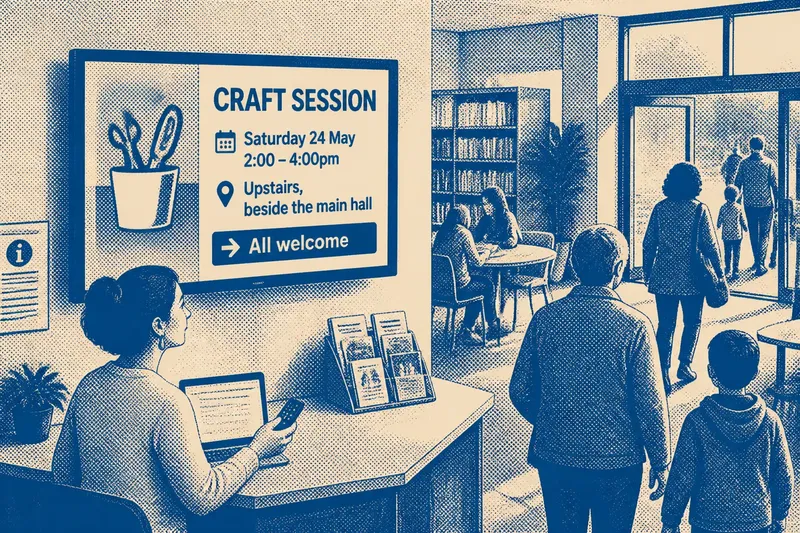
Say a neighbourhood group has announced a craft session in a library foyer, then the room becomes unavailable. A volunteer who can edit the display might replace the room name and add a brief note that the venue changed; readers arriving later would see the revised location, while an older printed flyer could still circulate elsewhere. The example shows why revising a screen message does not automatically update every copy of the announcement.
How can residents tell whether a screen notice is current?
Look for information that helps you judge the notice rather than relying on a clean layout. A date, named organiser, contact route or clear indication that a change has been made can make an announcement easier to verify. If a detail affects whether you can attend, confirm it with the group or venue before setting out.
Screen notices may be brief because they compete for viewing time. A display can direct readers to a library desk, a printed programme or a community group’s own page for fuller details. Those routes matter when the screen does not provide enough context, especially for changes involving access, booking or a different venue.
It is also reasonable to ask who maintains a display and how corrections are handled. A local organisation that welcomes reports of stale information can make the screen more useful to its neighbours. The contact should be visible or easy to find, rather than assumed to be obvious to everyone.
What happens to people who do not use the screen?
A digital noticeboard can miss people who do not visit the building, arrive when the relevant slide is showing or find moving text difficult to follow. Some residents may not use a smartphone to look up extra details. A screen in a public place is not automatically accessible merely because many people pass it.
Keeping a paper notice nearby can help, particularly when the message contains detailed instructions or contact information. Other useful routes include a staff member who can answer questions, a printed events sheet or a community newsletter. These do not need to reproduce every screen item; they should make important information reachable without requiring a reader to catch a short display.
Screen design can help as well. Plain wording, readable contrast, limited text and enough time to read a message reduce the effort of following it. A display should not rely on colour alone to distinguish a cancellation from an invitation, since some readers may not perceive those colours in the intended way.
Who decides what appears on a community screen?
The organisation responsible for the display usually sets its publishing rules, but the details vary. A library may accept notices from local groups while reserving space for service information; a community centre may ask each organiser to submit material to a named volunteer. Clear rules help explain which messages belong there and who can approve them.
These decisions shape local visibility. If only established organisations know how to submit a notice, informal groups may be left out even when their events are open to the public. A straightforward contact method and a plain explanation of what the screen can show make participation easier to understand.
Editing rules should also identify who can remove an expired notice and who handles corrections. Where display settings or publication policies are involved, follow the responsible organisation’s instructions and local requirements. The practical aim is a record that stays useful without giving every passer-by the impression that any message can be changed.
Why keep any paper noticeboard now?
Paper and screens serve different reading situations. A screen can be revised quickly and draw attention to current announcements; paper can remain available for close reading and can be taken away. Keeping both can give people more than one route to the same essential information.
That does not mean copying every item in both formats. A venue might use its screen for short reminders and keep a printed programme at the reception desk for dates, descriptions and contact details. The choice should follow what residents need to do with the information, not a preference for one medium as a symbol of progress.
The move from paper to screens changed the noticeboard from a fixed surface into an editable channel. That makes correction easier, but it also puts greater weight on access, ownership and clear signs of change. When asking whether a local notice is current, check its date and source; when deciding how to publish one, make sure there is a way for neighbours to see it even if they miss the screen.