Local Radio on a Phone or Through a Shared Display?
Local radio on a phone or shared display offers different kinds of control and company; choose the format that suits the moment and the audience.
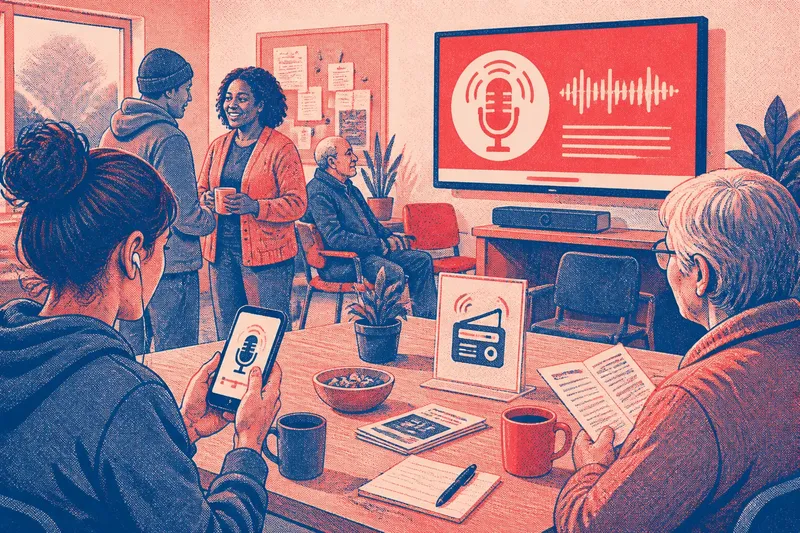
Local radio on a phone gives one listener control over where and when to tune in; a shared display makes the programme part of a place people occupy together. Imagine a residents’ group deciding how to carry a local station into its weekly drop-in: the choice is not simply between a small screen and a large one, but between private attention and a shared listening situation.
A drop-in creates two different listening needs
Say the group meets in a neighbourhood room where some people come to discuss a local event, while others arrive early, wait for a lift or help set out chairs. The station is airing community announcements and a presenter is taking local calls. Some visitors want to follow the broadcast; others need to talk, read a leaflet or concentrate on the meeting.
The organisers consider two options. Visitors could listen on their own phones, using headphones if they choose, or the group could put the station’s live stream on a shared display with sound. Each choice changes who controls the listening and how noticeable the programme becomes.
Phone listening puts attention in the listener’s hands
A phone allows each person to choose whether to tune in, adjust the volume, pause a stream if the service allows it, or stop listening altogether. Headphones can help someone follow speech without adding another sound source to the room. A visitor can also move to a quieter corner without requiring the organisers to change the setup for everyone.
That control has a social cost as well as a benefit. Headphones may make a listener less available for a passing conversation, and the programme’s useful details remain individual rather than becoming a common reference. A person who hears a call for volunteers might mention it later, but there is no shared moment in which everyone hears the same announcement together.
Phones also make access depend on each listener’s device, connection, battery and familiarity with the station’s app or website. A simple printed card with the station name and tuning details can help people who want to listen but do not know where to start. It should offer a choice, not imply that everyone is expected to bring a phone or use headphones.
A shared display makes listening part of the room
A shared display can make the station visible to people who would not think to open an app. A screen showing the station name, current programme and a short description gives newcomers a clue about what is playing. If the display is connected to speakers, the sound itself can turn an announcement into a common point of attention.
That shared quality may suit a room where people are waiting together or where the broadcast is directly relevant to the gathering. But sound travels beyond the person who chose it. Someone who came to speak with a neighbour may find that the programme competes with conversation, while a person with hearing or sensory needs may prefer a quieter space or captions where available.
A screen alone does not necessarily create shared listening. If the programme is silent, a visitor may read the station name without knowing what is being said on air. If the display shows a live stream with sound, the organisers need to consider the room’s activity, the placement of speakers and whether the broadcast can be heard without dominating conversation.
What should organisers decide before tuning in?
Is the broadcast relevant to everyone in the room?
If the programme relates directly to the gathering, a shared display may help people follow a common announcement. If it is background content for only some visitors, personal listening gives others more freedom to ignore it.
Can people opt out without feeling conspicuous?
Phone listening makes opting out straightforward because each person chooses whether to connect. In a shared room, organisers can keep the sound low, provide a quieter area or reserve the broadcast for a suitable part of the gathering.
Does the station offer a clear way to tune in?
A station website, app or internet stream may work well on a phone, while a shared display may need a browser, audio connection and a visible label identifying the station. Check the station’s own listening options and the equipment instructions before choosing the arrangement.
Will people need to talk while the programme is on?
For a discussion-led meeting, individual listening can avoid setting a competing sound for the whole room. For a welcome period or a shared announcement, a short, clearly signalled listening moment may be easier to fit around conversation.
The group chooses a shared moment, not a permanent soundtrack
In the invented drop-in, the organisers decide to leave the station available on the shared display during arrival, then turn the sound off when the discussion begins. They put the station name and its listening link beside the display, so a visitor who wants to continue listening can use a phone. The expected observable result is a room where attendees can hear the relevant announcement together, while the later conversation is not competing with a broadcast.
This arrangement is not a universal answer. It fits this situation because the programme has a connection to the gathering, but the group also needs quiet for conversation. Another room might favour phones throughout, especially if people come and go or the station is not relevant to the group as a whole.
Use the format to shape the social invitation
Local radio on a phone or shared display sends a different invitation. A phone says that listening is available as a personal choice; a shared display says that the programme may be something people encounter together. Neither format decides how closely anyone listens, but each makes some actions easier and others less natural.
For organisers, the practical question is whether the broadcast should belong to each listener or briefly to the room. Choose the phone when personal control and low disruption matter most. Choose a shared display when the content has a clear collective purpose, and make it easy for people to step away from the sound. A visible station label and an unpressured alternative can turn either option into a more welcoming way to encounter local media.